
Video: loft curtains moving in the wind - a real LiveDrape simulation, rendered in DAZ Studio with Iray Video: a blanket settling over a sleeping figure - a real LiveDrape simulation, rendered in DAZ Studio with Iray 
LiveDrape: grab the cloth, it follows (AI-generated illustration) 
A blue satin gown turning in folds (AI-generated illustration) 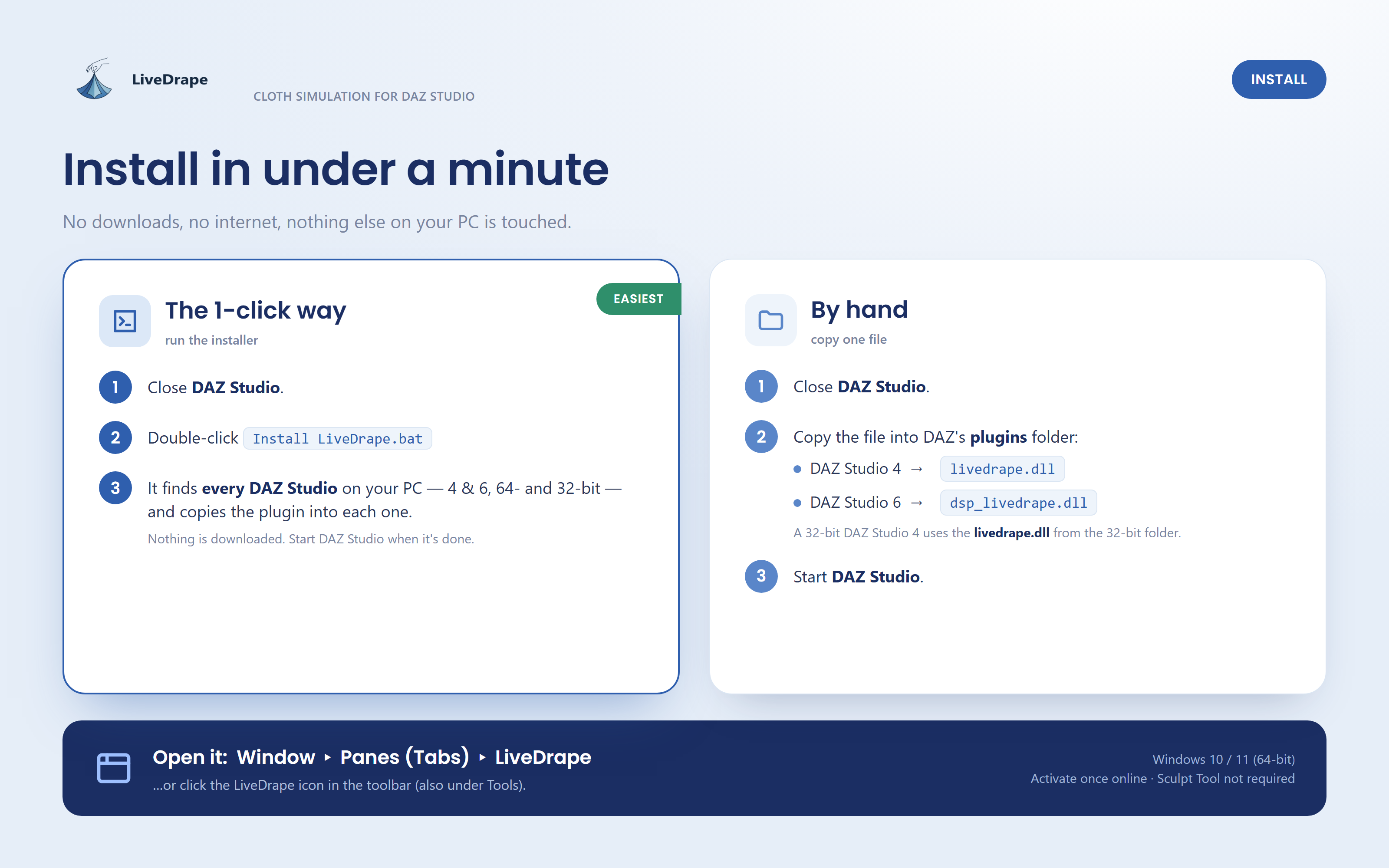
A blue satin gown draped on steps (AI-assisted illustration)
Overview
Hold Ctrl and drag on a piece of clothing: the spot under the cursor follows your hand, and the whole garment follows like real fabric. Pull a sock up or down, push a sleeve back, tug a top into place or lift a hem. The cloth slides over the body and over other clothing, folds when it’s pushed together, and settles when you let go. Happy with it? Create Morph saves the result as a morph dial on the item, in one click.
LiveDrape is a real cloth simulation inside DAZ Studio. Click Start and the clothing settles on the figure by itself; raise Gravity and it drapes and hangs. It works on any object too: a blanket over a bed, a tablecloth, a curtain. Add wind and watch a skirt or a curtain billow, then record the simulation and play it on the timeline, or export it as MDD point caches for Blender, 3ds Max, Modo and LightWave.
Everything happens inside DAZ Studio. There’s no need to send the clothing to another program, fix it there and bring it back: you adjust it right in your scene, on your figure and in your pose, and see the result straight away. That makes LiveDrape much quicker and more flexible to use.
One tool for DAZ Studio 4 and 6. The download has a file for DAZ Studio 4 (64-bit and 32-bit) and one for DAZ Studio 6 (6.25 and newer), plus an installer that finds every DAZ Studio on your PC and puts the right file into each one. LiveDrape works on its own; Sculpt Tool is not needed.
Your license, in short:
- One purchase is one license key for one PC at a time (DAZ Studio 4, its 32-bit version and DAZ Studio 6 on that PC count as one).
- Your key (it starts with “LD-”) arrives by e-mail right after the purchase and is always on your account page.
- Activate it once, online; after that LiveDrape works offline.
- Moving to another PC: click Deactivate on the old one and activate on the new one. If the old PC is gone, contact us and we free the license.
- The license never expires and includes every update of LiveDrape 1 (all versions 1.x). A later major version (LiveDrape 2 or higher) may be a separate product or a paid upgrade; LiveDrape 1 keeps working with your license.
- Morphs, scenes and renders you make with LiveDrape are yours, also for commercial use.
- Sharing or selling your key, or using one license on several PCs at once, is not allowed. A refunded purchase ends the license.
The full terms: LiveDrape License Agreement
DAZ Studio is a trademark of Daz Productions, Inc. LiveDrape is an independent tool and is not made or endorsed by Daz Productions.
Features
- Grab and pull clothing with Ctrl+drag; the whole garment follows like fabric and moves out of the body
- Simulate: clothing settles on the body, drapes with gravity and stops by itself once it rests
- Any object can be cloth: blankets, tablecloths, curtains, even a whole figure
- Eight fabric presets: cotton, denim, silk, jersey, knit / socks, spandex, wool and leather, or set stretch, stiffness, friction, thickness and damping yourself
- Pins hold a waistband, a collar or the top of a curtain still while the rest moves; Make Pin Collider turns pinned cloth solid, so one item can be cloth and collider at once
- Brushes: Cloth, Smooth, Transform (turn, move or scale a sleeve or a hem), Select and Pin
- Clothing layers: a jacket stays over the shirt, a tucked-in shirt stays inside the trousers
- Wind: up to 8 winds with strength, gusts and turbulence, blowing everywhere or only in one area like a fan, each with its own start and stop time
- Cache: record a simulation, put it on the timeline as keyframes (any frame range), or export MDD point caches
- Symmetry: shape one side, then copy or move the shape to the other side in one click
- Solid parts: buttons, buckles and rings move with the cloth without bending; buckles can open and click shut
- Create Morph saves every changed item as a morph dial, in the item’s own data folder
- Ctrl+Z undoes every drag; LiveDrape works on its own and next to any version of Sculpt Tool
- Runs on the processor, on its own thread and on several cores for big garments, so it keeps up with your hand
Good to know
LiveDrape brings real-time cloth into DAZ Studio, and it’s still growing: we keep improving it with every update, and all 1.x updates are free. Here’s what to expect today:
- Every scene is different. Cloth depends on the clothing item, its mesh and your scene, so LiveDrape may not work equally well with every item, scene or DAZ Studio version. Try it on your own items first.
- Strand hair can’t be moved. DAZ Studio doesn’t give plugins access to strand-based hair. Polygon hair works like clothing.
- Tight clothing like underwear or a bodysuit can flicker or clip at the crotch while it simulates.
- Self Collision makes some items unstable: they can shake or flicker, and in rare cases blow apart. Long runs with it (for example with wind) also get slower over time.
- Wind goes through everything: a body or a wall gives no shelter from it.
- Other Cloth collision is experimental. It’s heavy and doesn’t behave well with every item.
- Iray preview is slow: in the NVIDIA Iray viewport, DAZ needs about half a second for every cloth update.
- Windows only: LiveDrape doesn’t work on Mac at the moment.
- DAZ Studio versions: made and tested for today’s DAZ Studio: DAZ Studio 4 and DAZ Studio 6 (6.25 and 6.26). DAZ Studio keeps changing, and a future version may stop LiveDrape from working until it’s updated. We do our best to keep our tools up to date when we can, but we can’t promise an update for every new DAZ Studio version, and some products may stay at their current version. Your statutory rights are not affected.
Found a problem, or something that doesn't work as described? Please tell us: we read every report and do our best to fix it.
Compatibility
- DAZ Studio 4.x (64-bit and 32-bit) and DAZ Studio 6.25 and newer, on Windows. There is no Mac version.
- Works with any clothing item and with other objects: props, primitives and imported OBJ files.
- Strand-based hair can’t be moved (DAZ Studio doesn’t give plugins access to it). Polygon hair works like clothing.
- Sculpt Tool is not needed: LiveDrape works on its own and next to any version of Sculpt Tool. With Sculpt Tool 1.4 or newer both tools share their edits, pins and undo.
- New DAZ Studio 6 versions can stop plugins from loading until they are updated; DAZ Studio 6.26 did that to every plugin made for an older Daz 6. When that happens we release an updated LiveDrape as quickly as we can, free for every customer.
System requirements
- Windows 10 or 11 (64-bit)
- DAZ Studio 4.x (64-bit or 32-bit) or DAZ Studio 6.25 or newer
- Any 64-bit Intel or AMD processor; more cores help with big garments (the cloth is simulated on the processor)
- Any graphics card DAZ Studio runs on
- Microsoft Visual C++ 2015–2022 Redistributable (usually already installed; the links are in “How To Install.txt”)
- An internet connection once, to activate the license (and to move it to another PC)
Installation
- Download
LiveDrape V1.0.0.zipfrom My Products and unzip it (right-click > Extract All…). The installer works from the unzipped folder, not from inside the zip. - Close DAZ Studio and double-click Install LiveDrape.bat. It finds every DAZ Studio on your PC (4 and 6, 64-bit and 32-bit) and copies the right file into each one’s plugins folder. If Windows asks for permission, click Yes. If it shows “Windows protected your PC”, click More info, then Run anyway.
- Start DAZ Studio. The LiveDrape icon is in the toolbar, and the pane is under Window > Panes (Tabs) > LiveDrape.
- Paste your license key (from the e-mail or your account page) into the box at the top of the pane and click Activate.
To install by hand, or for more help, see “How To Install.txt” in the Documentation folder. Updates install the same way, and your license stays active. To uninstall, click Deactivate at the end of the LiveDrape pane, close DAZ Studio and delete livedrape.dll or dsp_livedrape.dll from the plugins folder.
Versions and changelog
1.0.0Latest
First release.
Reviews
No reviews yet.
Bought LiveDrape For Daz3D? Sign in to write a review.